Overview
We've improved how appointments are organized within the Contacts and Conversations tabs to make it easier to quickly understand what’s coming up next and what happened most recently.
Previously, appointments were not always displayed in the most intuitive order, making it harder to identify the next upcoming appointment or the latest completed interaction.
With this enhancement, appointments are now sorted chronologically based on their status, helping users navigate customer interactions more efficiently.
What's New?
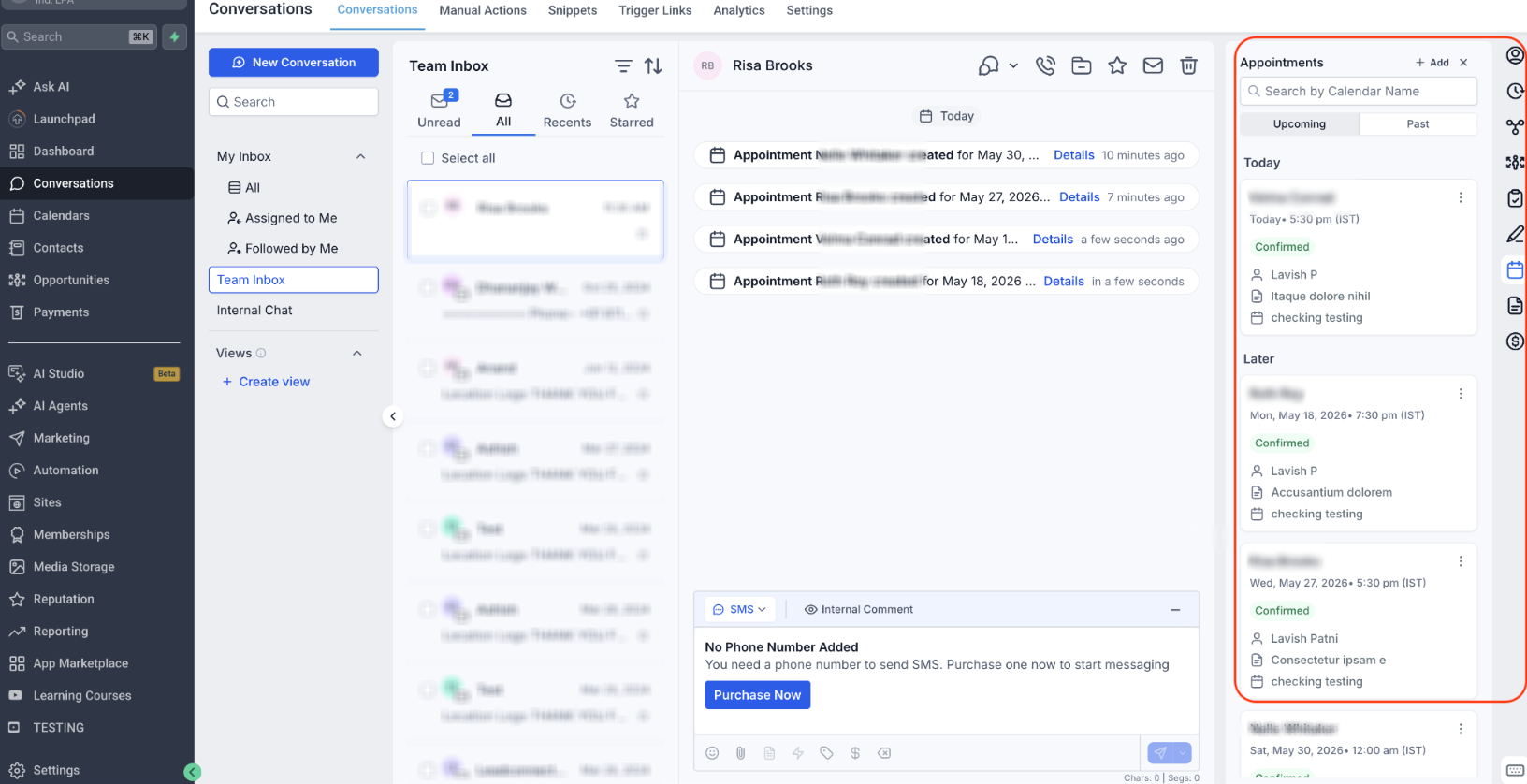
Upcoming Appointments Sorted by Nearest First
Upcoming appointments now appear in ascending chronological order.
The appointment happening soonest will always be shown at the top of the list.
Example
If a contact has appointments on:
- June 10
- June 15
- June 20
The June 10 appointment will appear first, followed by June 15 and June 20.
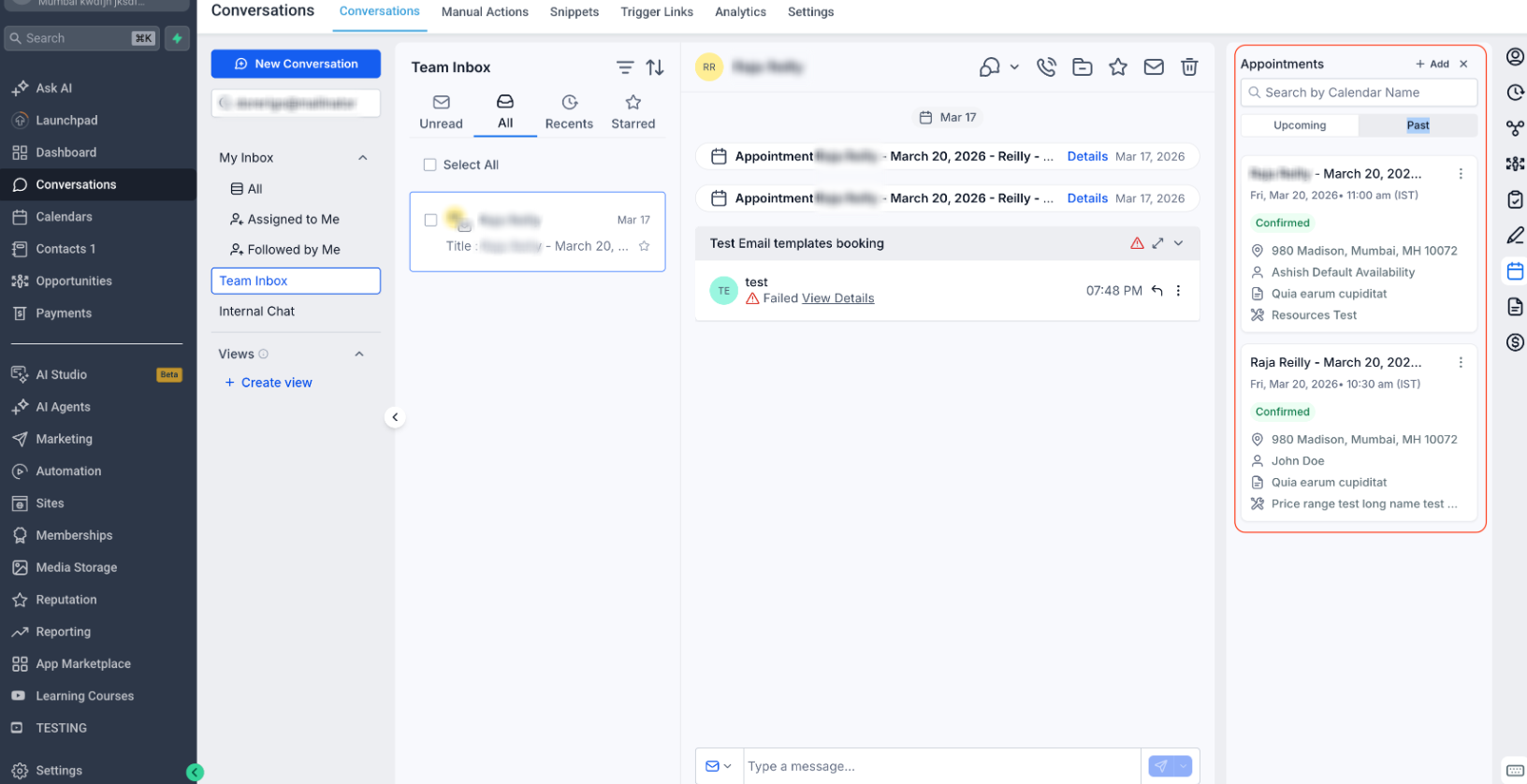
Past Appointments Sorted by Most Recent First
Past appointments are now displayed in descending chronological order.
The most recently completed appointment will appear at the top of the list.
Example
If a contact previously had appointments on:
- June 1
- May 25
- May 10
The June 1 appointment will appear first, followed by May 25 and May 10.
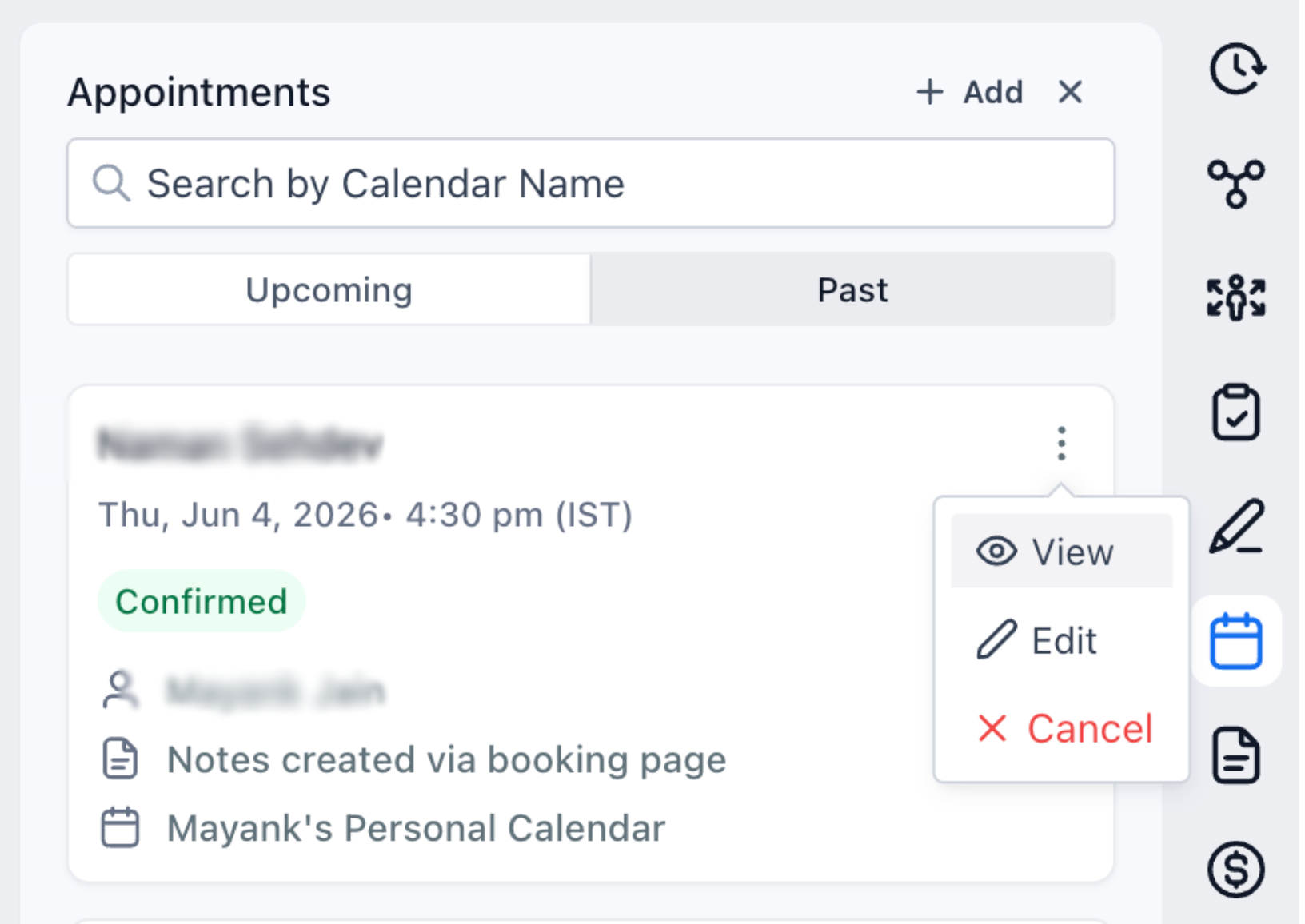
Quick Access to Appointment Details
Users can now view the appointment details directly from the Appointments tab by using the "View" action, making it easier to review details and take action without navigating elsewhere.
Why This Matters
- Makes upcoming appointments easier to identify.
- Surfaces the most recent customer interactions first.
- Reduces time spent searching through appointment history.
- Creates a more intuitive experience inside Contacts and Conversations.
This update ensures appointment information is presented in a way that naturally aligns with how users manage customer conversations and follow-ups.
Was this article helpful?
That’s Great!
Thank you for your feedback
Sorry! We couldn't be helpful
Thank you for your feedback
Feedback sent
We appreciate your effort and will try to fix the article