With the new Author Layout, blogs can now showcase author information in a more modern, engaging, and professional way, helping readers connect with the people behind the content.
Better author visibility. Stronger credibility. More engaging blog experiences.
What’s new
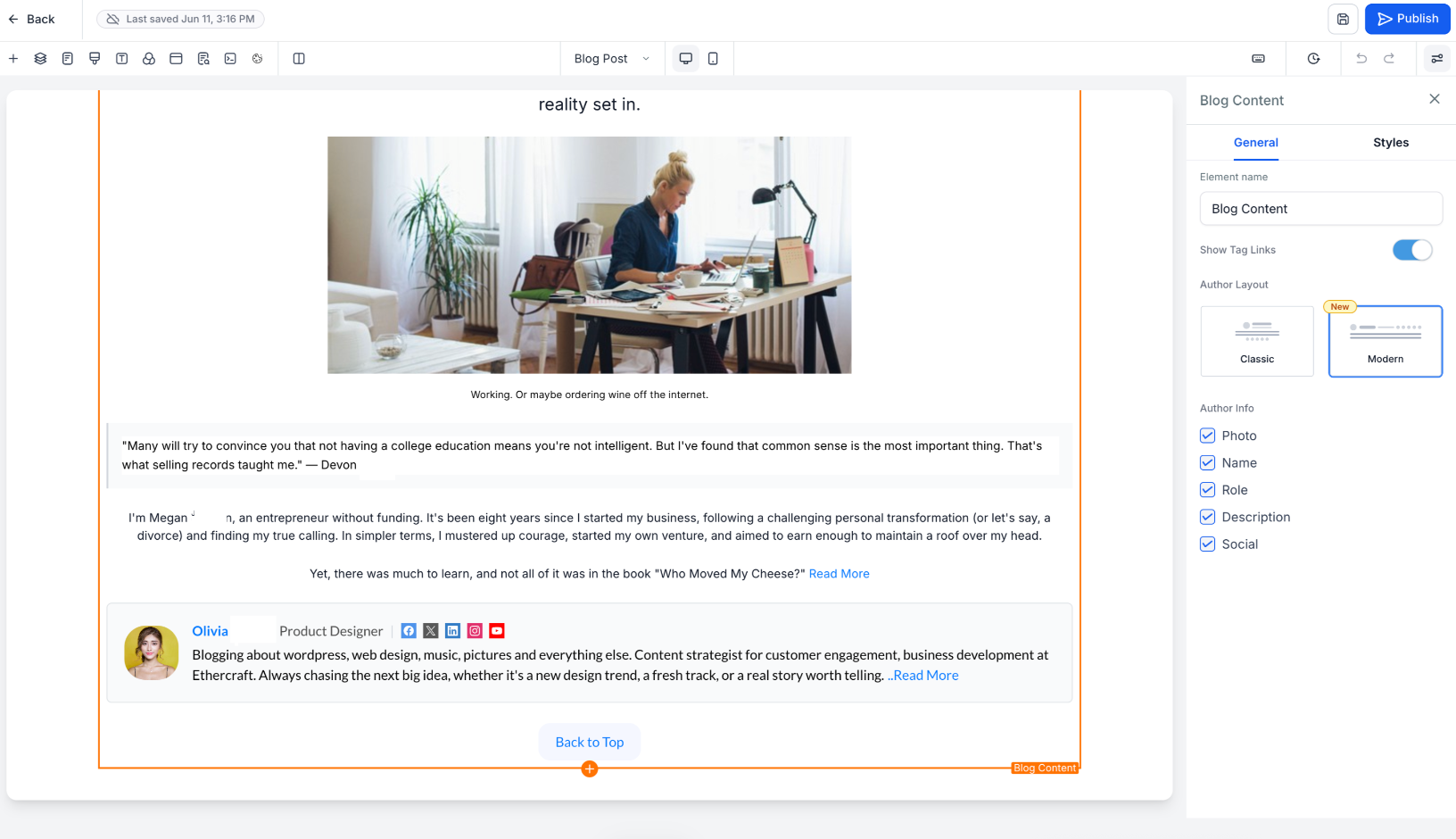
Choose Between Two Author Layouts
You can now select the author experience that best fits your brand:
Modern Preview (New)
Card-based design
Cleaner visual hierarchy
Optimized for reader engagement
Default layout for newly created blog posts
Classic Preview
Existing author layout
Available for users who prefer the current experience
Enhanced Author Profiles
Author information is now displayed in a more structured and visually appealing format, including:
Profile image
Author name
Designation or role
Author bio
Social media links
Email address
Helping readers quickly understand the author's expertise and background.
Expandable "Read More" Experience
Long author bios are automatically condensed for a cleaner reading experience. Readers can click Read More to expand and view the complete author description without disrupting the blog layout.
Fully Responsive Across Devices
The new author section is optimized for:
Desktop
Tablet
Mobile
Ensuring a consistent experience across all screen sizes.
How to use this feature
Go to Sites → Blogs
Open Blog Post Settings
Select your preferred Author Layout
Configure author details, social links, and email information
Publish your blog
Why it matters
Build trust and credibility through stronger author branding
Increase reader engagement with richer author profiles
Create a more professional blog experience
Highlight expertise and thought leadership more effectively
Notes
The Modern Author Layout is the default for newly created blog posts
Existing blogs will continue using their current layout unless updated manually
Dedicated author profile pages are not included in this release
Multiple authors per blog post are not currently supported
Was this article helpful?
That’s Great!
Thank you for your feedback
Sorry! We couldn't be helpful
Thank you for your feedback
Feedback sent
We appreciate your effort and will try to fix the article