You can now reorder your pipelines directly in the Opportunities pipeline view. Rearrange pipelines by drag and drop, or move one to an exact position from the Actions menu — and the order sticks across page refreshes.
What's New
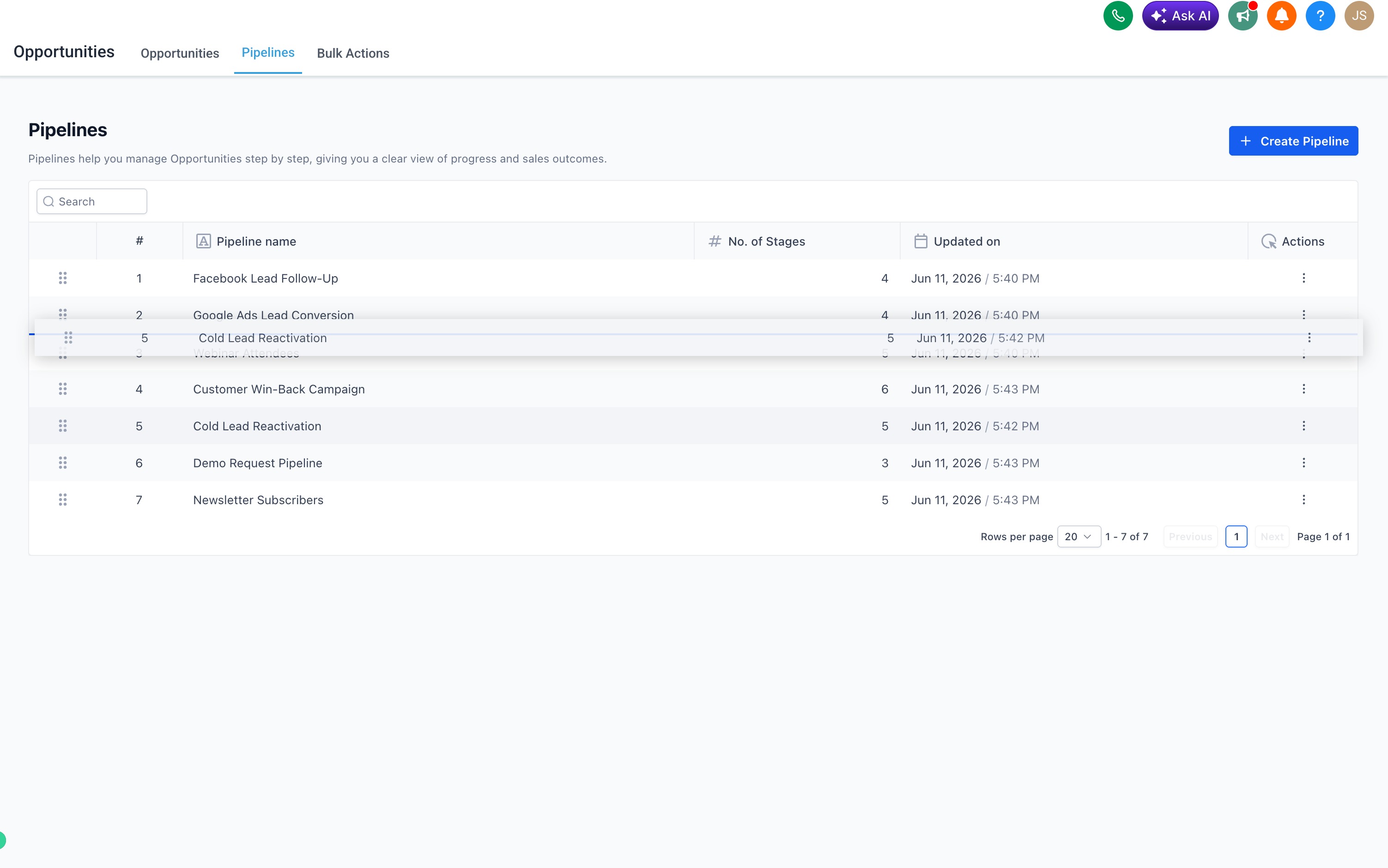
Drag and drop to reorder pipelines in the Opportunities pipeline view.
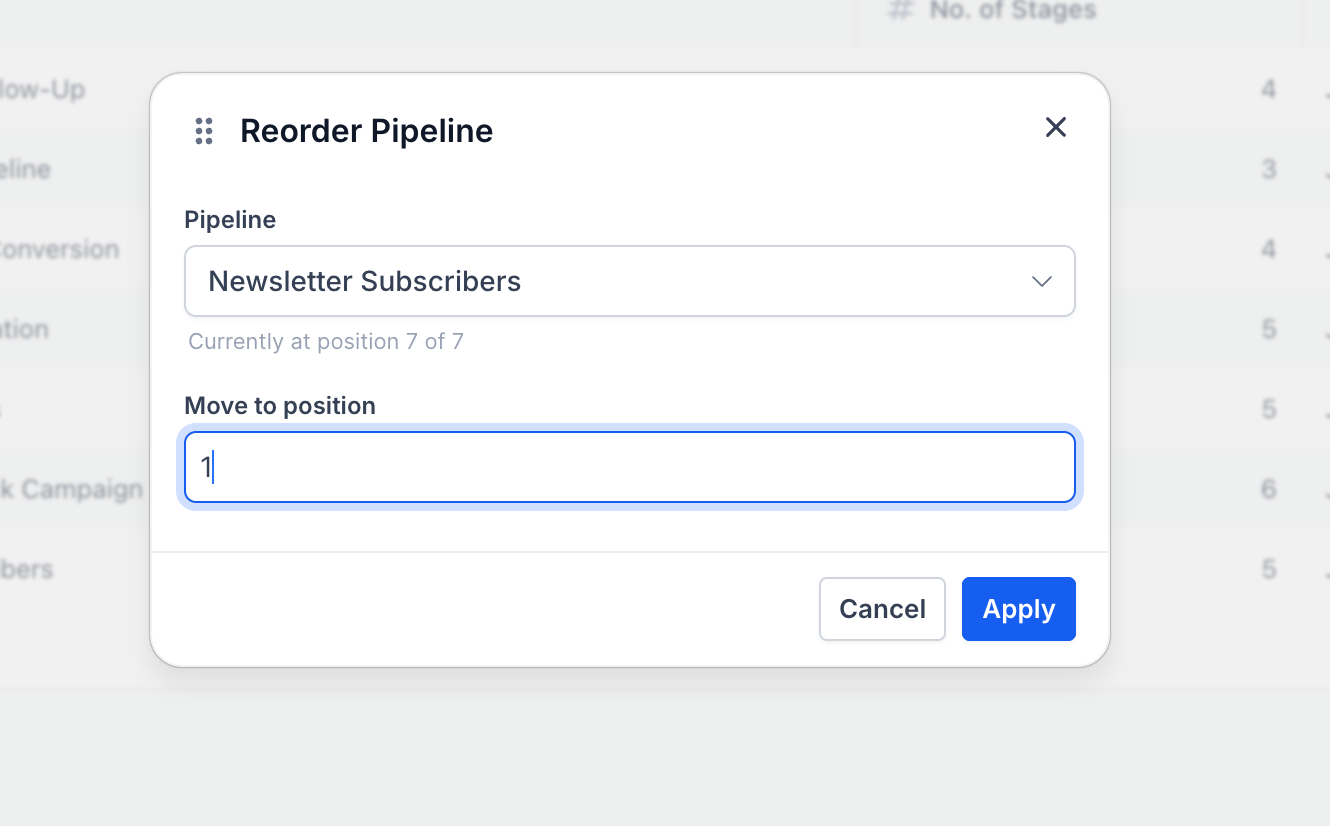
Move to position option in the three-dot Actions menu for precise repositioning, including moving a pipeline across pages.
The reordered pipeline order persists across users and is an account-level setting.
Only admins can reorder pipelines in an account.
How to Use
Go to Opportunities → Pipelines.
To reorder, drag any pipeline by its handle to your preferred position.
Or click the ⋯ (three-dot) Actions menu on a pipeline and select Move to position to place it at a specific spot.

The new order saves automatically — no extra steps needed.
Why This Feature
Previously, the pipeline list order in Opportunities was fixed and couldn't be customized from the UI. Users managing multiple pipelines had no way to prioritize or surface the ones they use most beyond naming conventions. This update puts that control directly in users' hands, right from the pipeline view.
Was this article helpful?
That’s Great!
Thank you for your feedback
Sorry! We couldn't be helpful
Thank you for your feedback
Feedback sent
We appreciate your effort and will try to fix the article