What’s new?
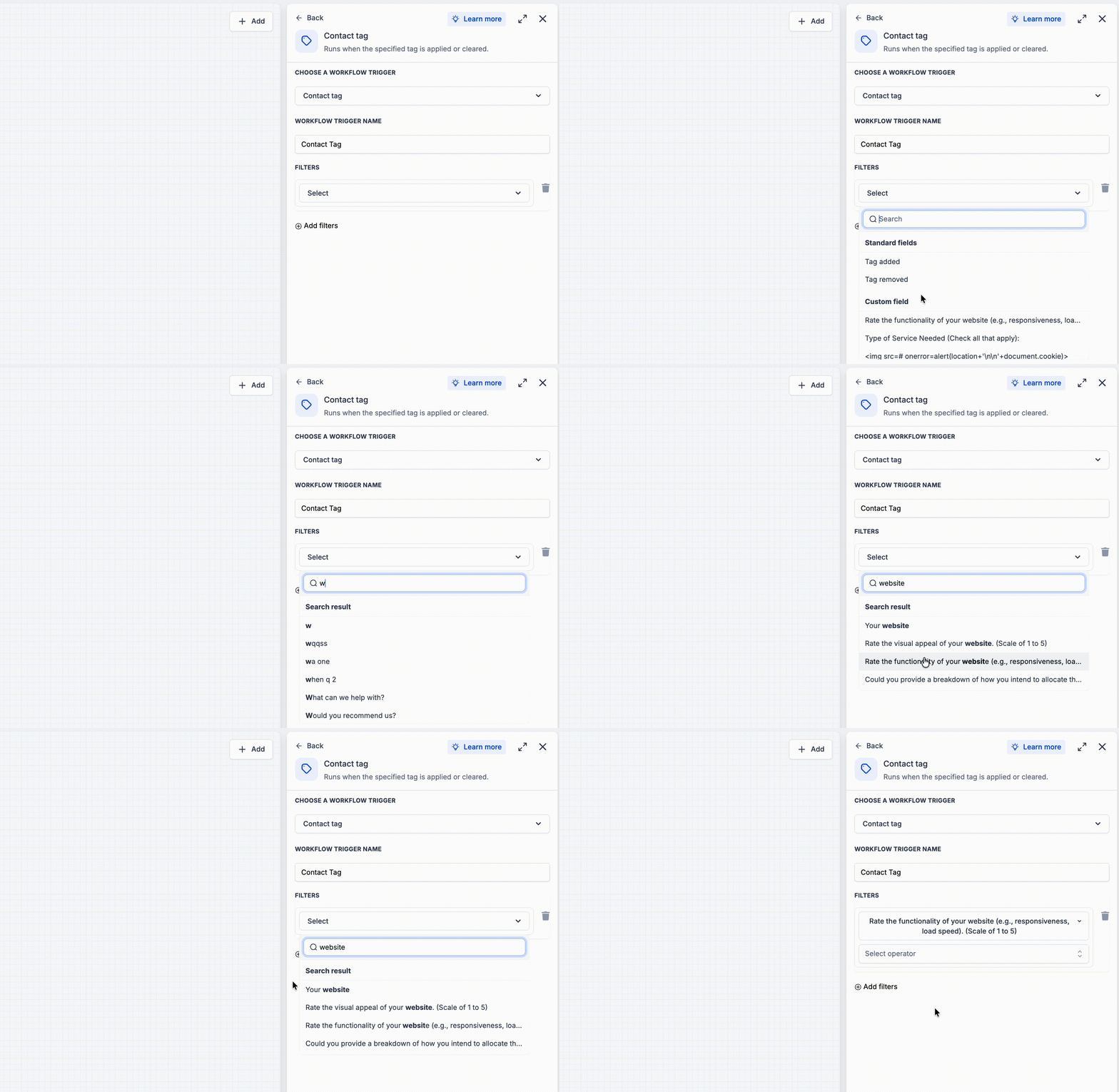
We improved how field dropdowns rank search results along with a refreshed UI in workflow trigger filters. When you search for a field, the best match now appears at the top, whether it is a standard field or a custom field.
How it works
While searching, all matching fields appear in one list under search results, just like before. When you clear the search, the dropdown returns to the normal Standard Fields and Custom Fields sections.
How to use it
- Open a workflow trigger filter, such as Contact Changed → Filters.
- Search for a field in the Field dropdown.
- Pick the best match from the top of the search results.
Why we built it
Users had to scan long field lists because exact or better matches could appear lower in the dropdown. This update makes field selection faster and more predictable.
Additional Notes
- Applies wherever this field dropdown is used in the workflow builder.
- Search results still appear under the single Search Result header.
Preview
Was this article helpful?
That’s Great!
Thank you for your feedback
Sorry! We couldn't be helpful
Thank you for your feedback
Feedback sent
We appreciate your effort and will try to fix the article